

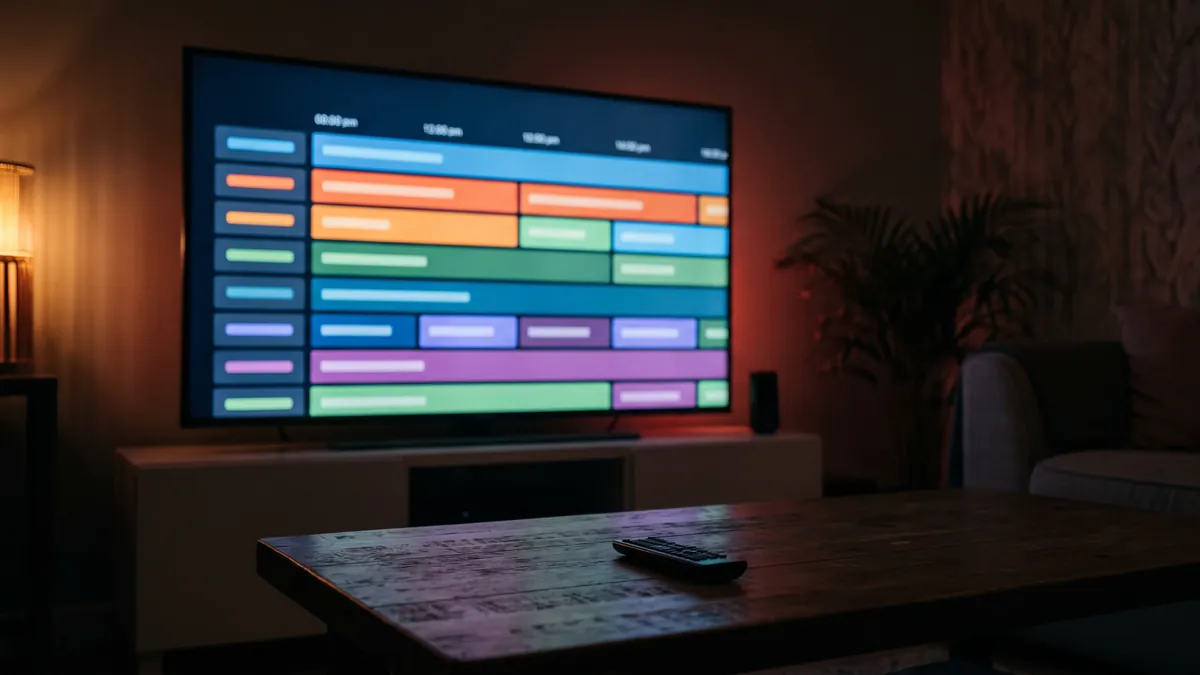
EPG stands for Electronic Programme Guide, the grid inside your IPTV app that shows what is on now and next for each channel. When it is empty or wrong, a few simple checks usually fix it.
Last updated: November 2026.
How the EPG works
Your player app downloads guide data and matches it to your channels. When the match is good you see titles and times. If a channel has no guide data, or the app has not finished loading, the guide looks empty.
Why an IPTV guide goes wrong
- First load not finished. The guide can take several minutes after the first login.
- Time zone or clock wrong. Programmes appear at the wrong time.
- Some channels have no guide data. Not every channel is covered.
- Outdated playlist. The app is using an old list.
Quick fixes
- Wait a few minutes after the first load, then reopen the app.
- Check the date, time and time zone on your device. Set them to automatic.
- Refresh the playlist or guide in the app settings.
- Restart the app and the device.
- Contact support with your device model and app name.
App-specific help
Steps differ slightly by app. See the TiviMate setup guide and IPTV Smarters Pro setup. Compare apps in best IPTV player apps.
When the guide is fine but playback is not
Buffering is a different problem. Read how much internet speed IPTV needs.
Where EPG data comes from
Guide data is usually supplied in a format called XMLTV. It lists channels, programme titles, descriptions and start and end times. Your player app downloads this data and links each programme to the right channel using a channel ID. With Xtream Codes logins, guide data often loads automatically. With an M3U playlist, the app may need a separate guide link.
How to read the guide
- The vertical list shows channels.
- The horizontal timeline shows programmes now and later.
- Selecting a programme shows its description and time.
- Some apps let you set reminders or open past programmes where catch-up is available.
EPG problems by app
| App | Where to refresh the guide |
|---|---|
| TiviMate | Playlist settings, update the guide; see TiviMate guide |
| IPTV Smarters Pro | Settings, refresh or reload the guide; see Smarters guide |
| Other players | Look for EPG, TV guide or XMLTV in settings |
Time zone tips for Canada
Canada spans six time zones. If programme times are off by a few hours, check that your device time zone matches where you are, for example Eastern for Toronto and Montreal or Pacific for Vancouver. Set the clock to automatic where possible, and check again after daylight saving time changes.
When to contact support
If the guide is still empty after a restart, a refresh and a time check, message support with your app name, device and one example channel. That is the fastest way to find the cause.
What a good guide gives you
- Now and next information at a glance
- Programme descriptions so you can decide what to watch
- A timeline to plan your evening
- Faster channel surfing with fewer blind clicks
Why some channels never show guide data
Guide data is matched by channel ID. Some channels have no published guide at all, some regional or international channels use IDs that do not match, and some streams are events or special feeds that only exist for a short time. A few empty rows are normal. A completely empty guide is not.
Step-by-step reset
- Note one channel that shows no guide.
- Check the device time and time zone.
- Refresh the guide in the app settings and wait a few minutes.
- Restart the app, then the device.
- If still empty, remove and re-add the playlist with the same details.
- Contact support with the channel name and app name.
Related guides
What is IPTV, M3U vs Xtream Codes and best IPTV player apps.
How the guide connects to your channels
Every channel in your playlist carries an identifier. The guide data uses the same identifiers to say which programme belongs to which channel. When the identifiers match, your app fills the grid automatically. When they do not, the channel still plays but shows “No information” in the guide. Providers usually keep these matched, which is why most channels show programmes and only a few may be blank, for example temporary event channels or channels without published schedules.
EPG with Xtream Codes vs M3U
| Xtream Codes login | M3U playlist | |
|---|---|---|
| Guide source | Usually supplied automatically | May need a separate guide link |
| Setup effort | Low | Medium |
| Updates | Refresh from the app | Depends on the guide link |
| Best for | Most people | Advanced users and simple players |
If your guide never loads with an M3U playlist, ask your provider whether they offer Xtream Codes details instead. Read M3U vs Xtream Codes for the full comparison.
Guide features worth using
- Reminders: some apps can alert you when a programme starts.
- Search: find a show by name across all channels in the guide.
- Catch-up: where a channel supports it, replay programmes that already aired.
- Favourites view: show the guide for your favourite channels only, which loads faster and is easier to read.
Keeping the guide accurate over time
Programme schedules change, especially for live sport and news. Set your app to refresh the guide at least once a day. After daylight saving time changes in March and November, check that programme times still line up. If they are off by exactly one hour, your device time settings are the usual cause, not the guide data.
When the guide is not the real problem
Sometimes people think the guide is broken when the channel itself has stopped. If the guide shows a programme but the channel will not play, try another channel. If several channels fail, the issue is the stream or your connection. See internet speed for IPTV.
A note on time-shifted viewing
Some guides show a small icon on channels that support catch-up. Selecting an earlier programme on those channels lets you watch it after it aired. Support differs by channel and service, and the number of days available varies. If your app shows the option but playback fails, that channel may not support catch-up at that moment.
Make the guide easier to read
A full guide with hundreds of channels can feel overwhelming. Most apps let you hide categories and show only favourites in the guide view. Start with ten to twenty channels you actually watch. You will scroll less, the guide will load faster on older devices, and the whole family will find their programmes more easily. You can always add more channels later.
Key takeaways
- EPG is the on-screen programme guide inside your IPTV app.
- Empty guides are usually a loading or time-setting issue.
- Xtream Codes logins usually load the guide automatically; M3U may need a guide link.
- A few channels without guide data is normal.
Frequently asked questions
What does EPG mean?
EPG means Electronic Programme Guide, the on-screen TV guide in your app.
Why is my IPTV guide empty?
Usually the first load has not finished or the time settings are wrong. Wait, then restart the app and check your device time.
Why are programme times wrong?
Check the time zone and time settings on your device.
Does every channel have a guide?
No. Some channels have no guide data.
Next step
See the TiviPlay plans in Canadian dollars, check compatible devices or follow our setup guide. Questions? Message us on WhatsApp, 24/7.